
For farmers
When to irrigate, and how much — three days ahead.
Agorà needs a pair of coordinates and the crop you sowed. No probes to bury, no gateway to install, no subscription to a sensor you will have to replace. One number a day, for each field you follow.
Getting started
Three things to do, once.
- 01
Draw the field
A field is one piece of land with one crop on it. Mark it on the map and say what is growing: Agorà picks the weather service, the soil data and the crop model for that exact position.
- 02
Read the advice each morning
Today, tomorrow and the day after: how much water that field needs, with the water balance behind the number. You decide whether to follow it.
- 03
Say what you actually did
Irrigated more, less, or not at all? Tell Agorà. The model tunes itself to that field — the advice gets closer to your ground season after season.
In Agorà Studio
What it looks like on your own fields.
Every field in one list, the same fields on a map, and the seven steps that add one.
-
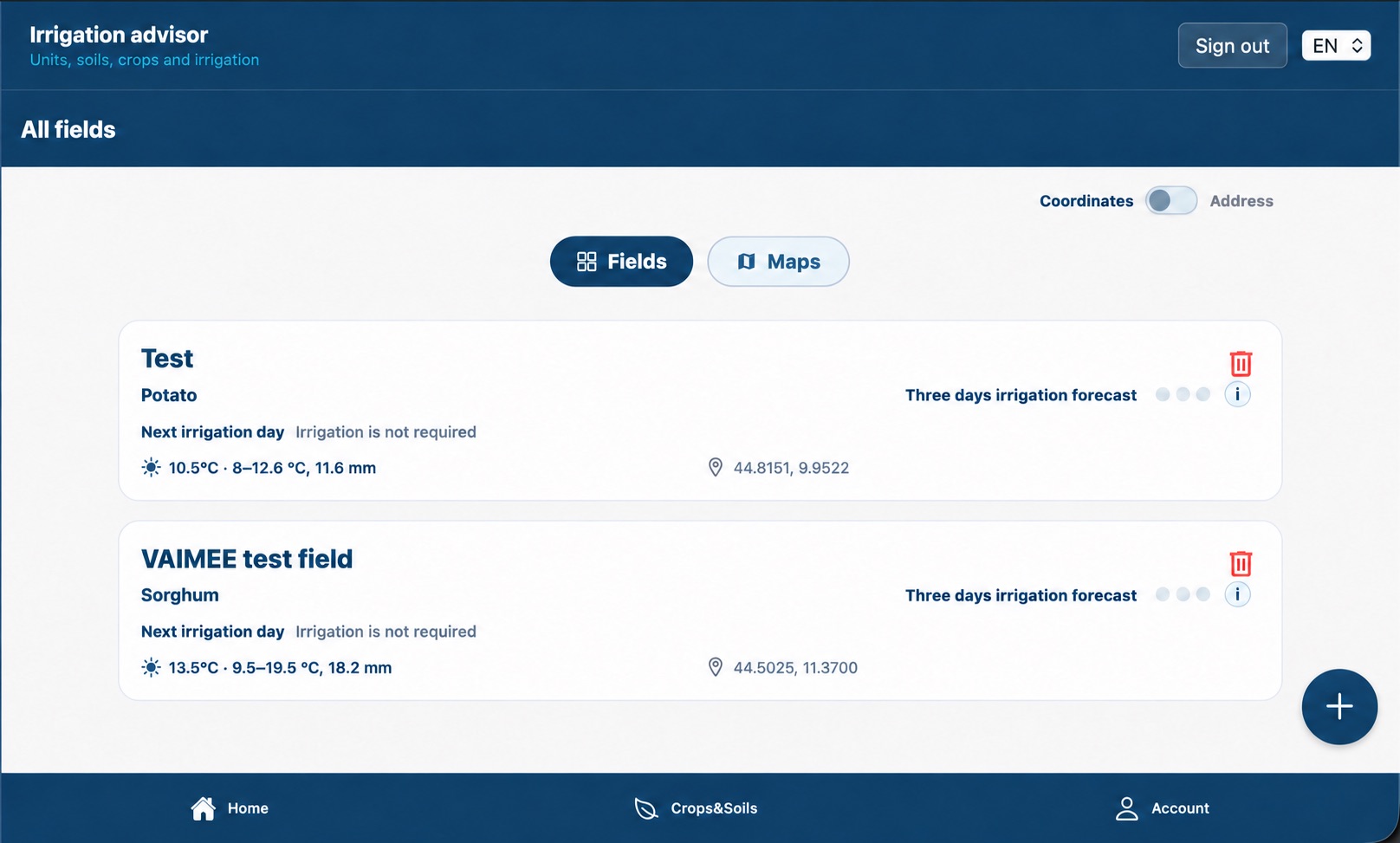
Every field with its crop and today’s verdict — here, irrigation is not required — plus temperature, rainfall and a three-day forecast you can open.
-
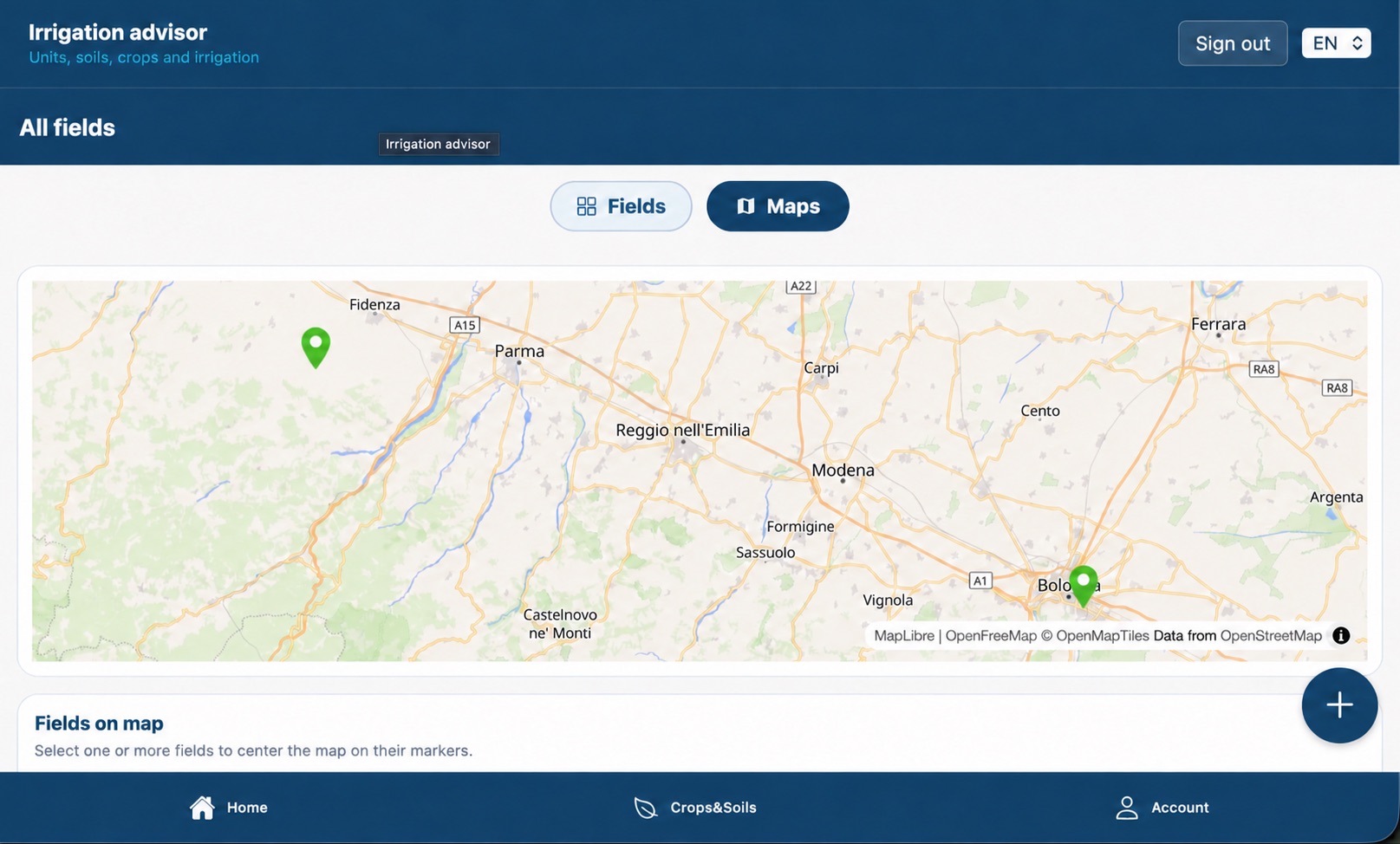
The same fields as pins on the map, colour-coded: green is fine, blue needs water, red has a problem. Pick one and the map centres on it.
-
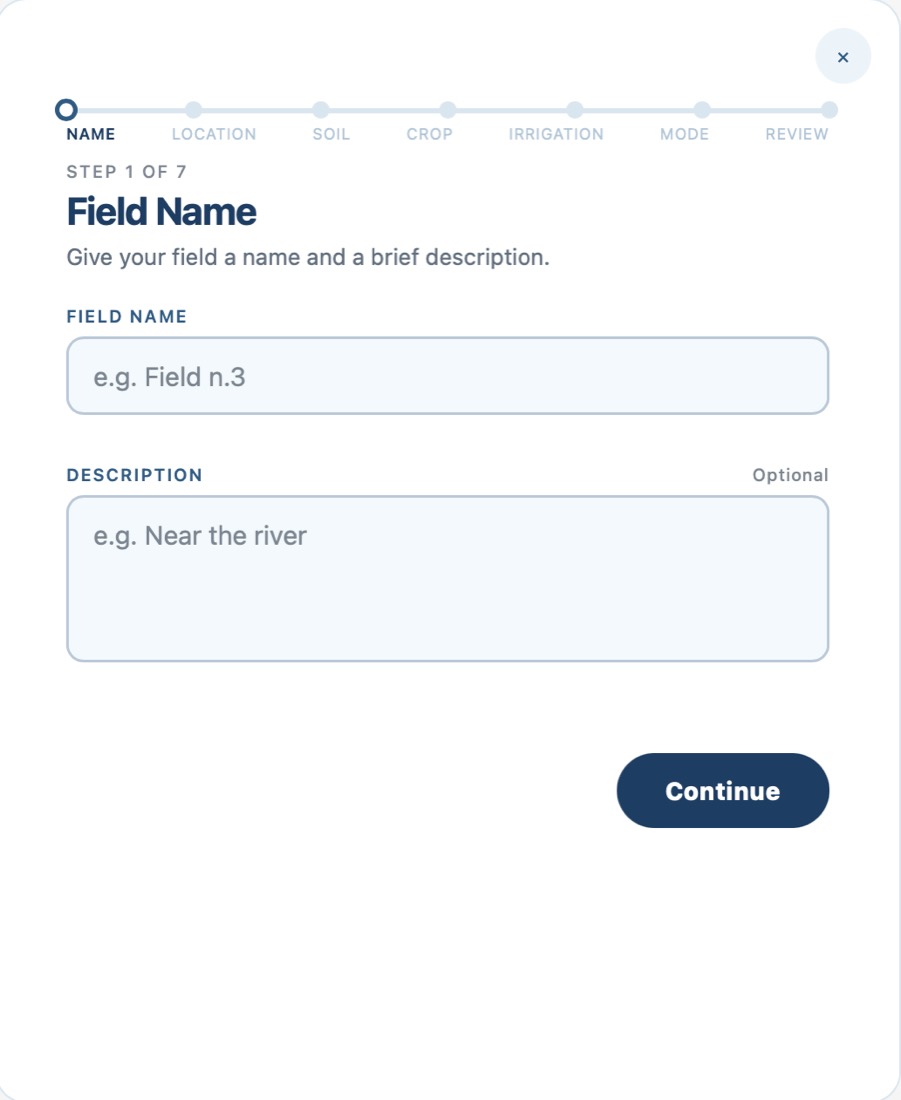
1 of 7 — Name it. A name, and a note if it helps: “near the river”.
-
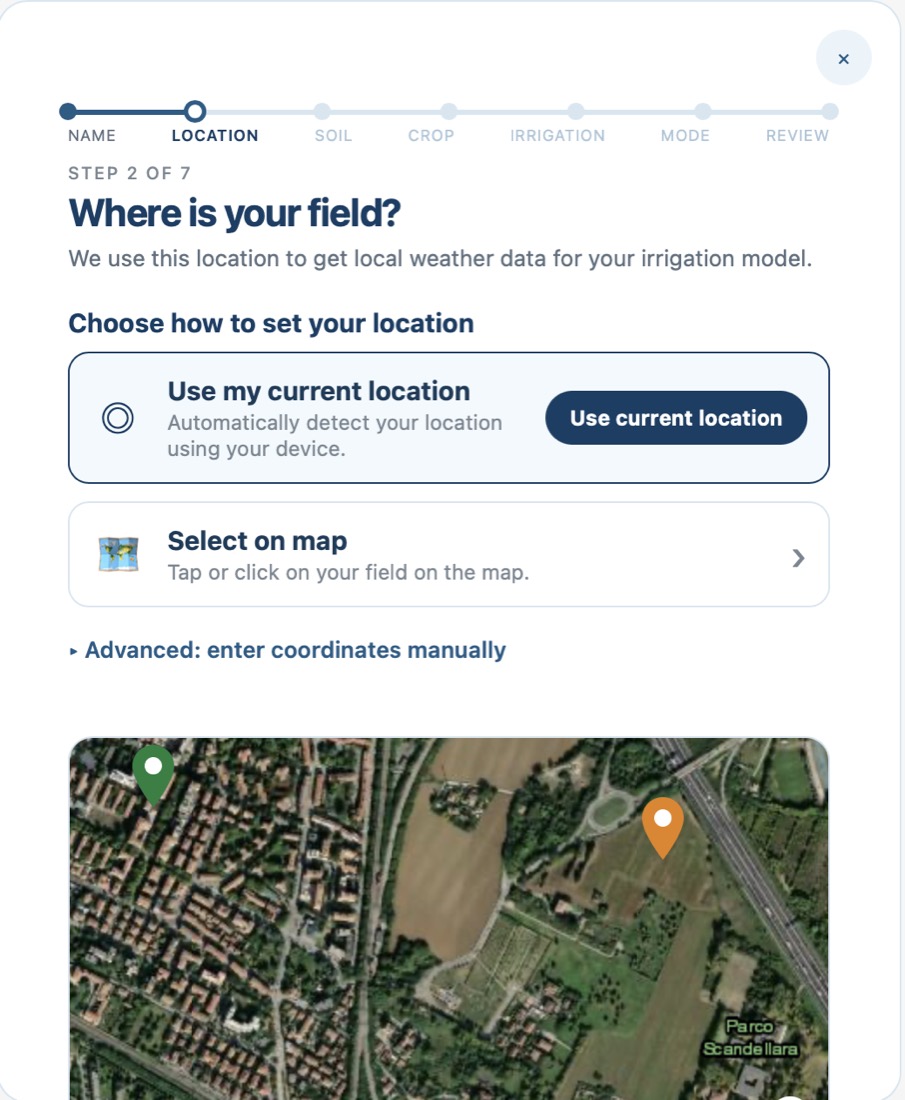
2 of 7 — Where it is. The device’s position, a tap on the map, or the coordinates typed by hand. The weather comes from that point.
-
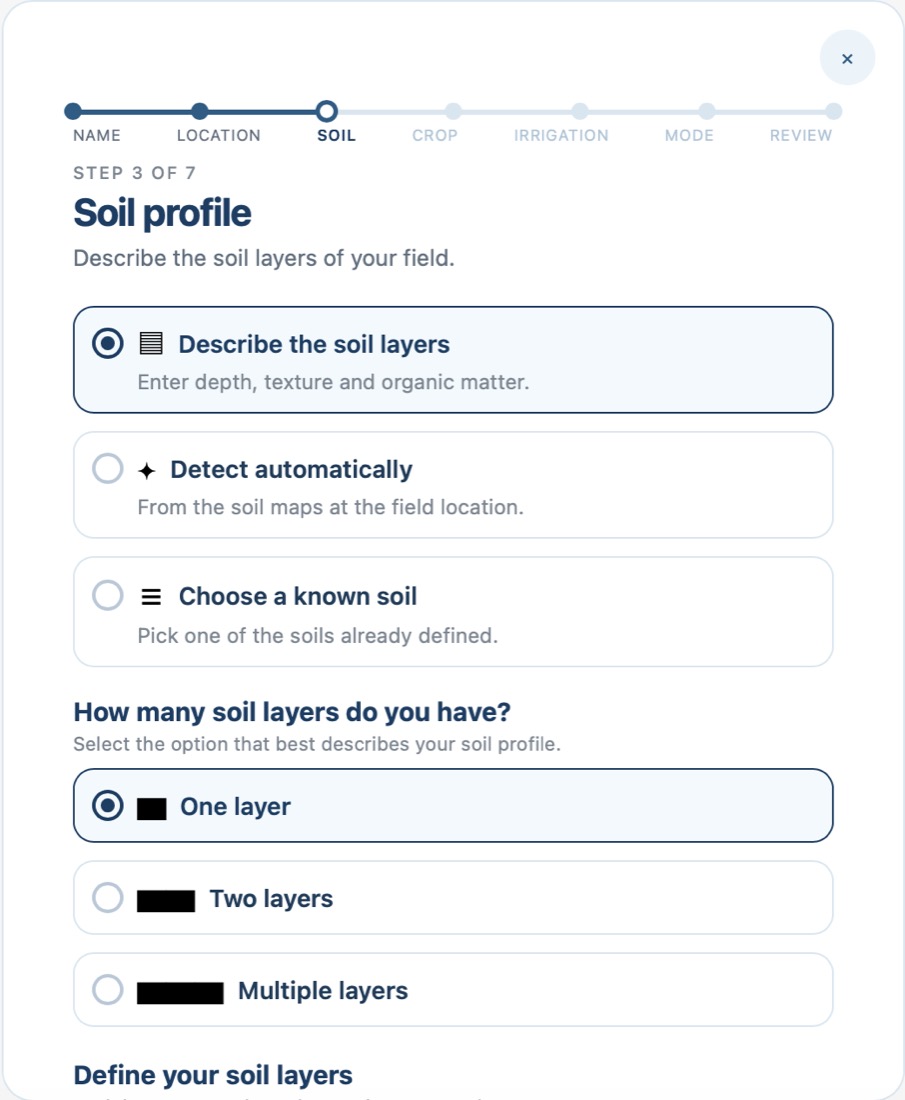
3 of 7 — The soil. Describe the layers, let Agorà read them from the soil maps, or reuse one already defined. One layer, two, or several.
-
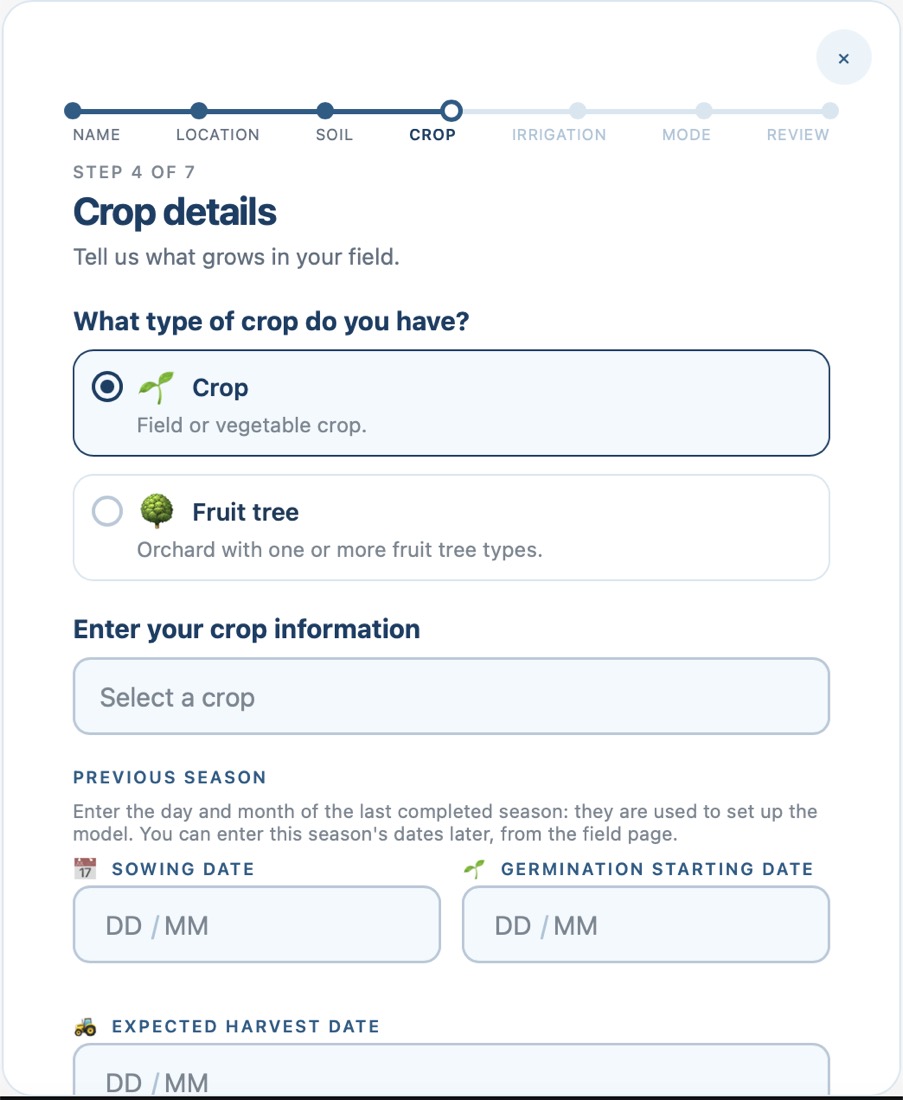
4 of 7 — The crop. A field crop or an orchard, then sowing, germination and expected harvest of the season just gone: the model starts from what already happened.
-
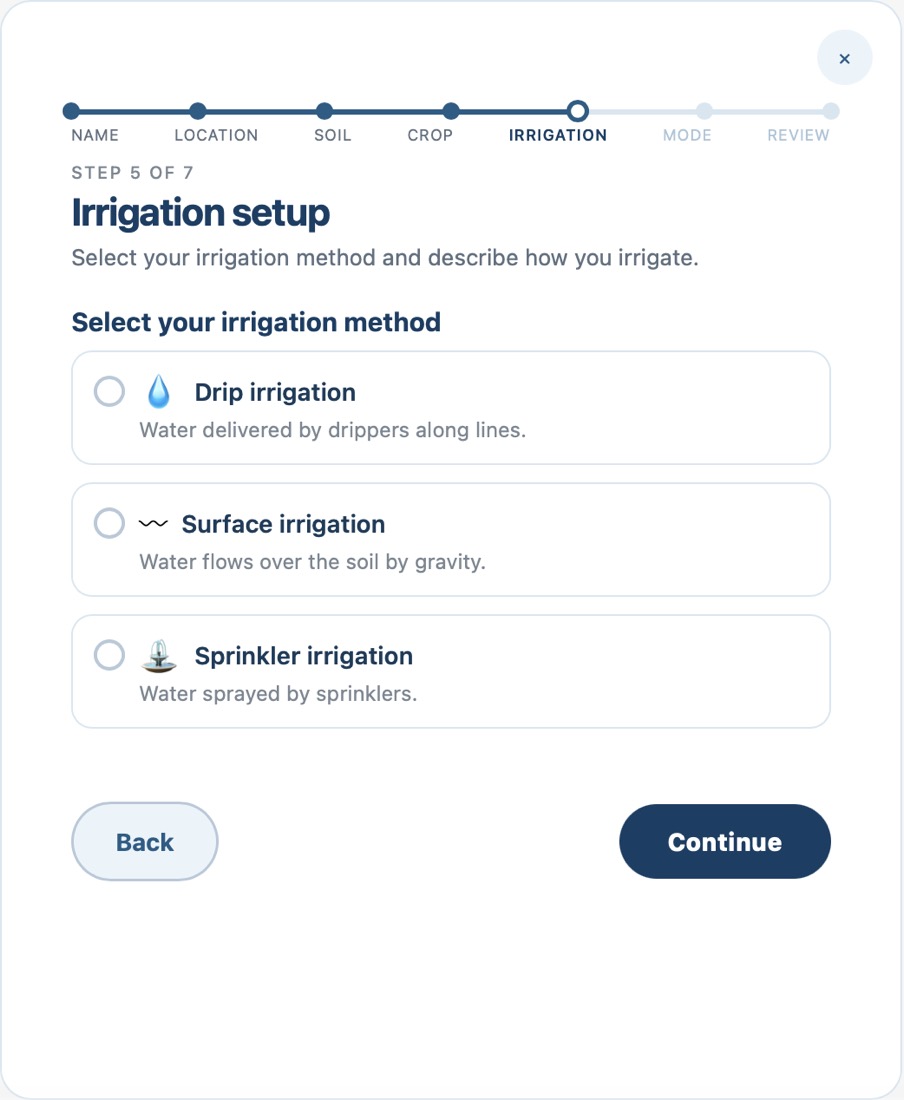
5 of 7 — Irrigation. Drip along the lines, surface by gravity, or sprinklers overhead. Each one loses water differently, and the balance knows it.
-
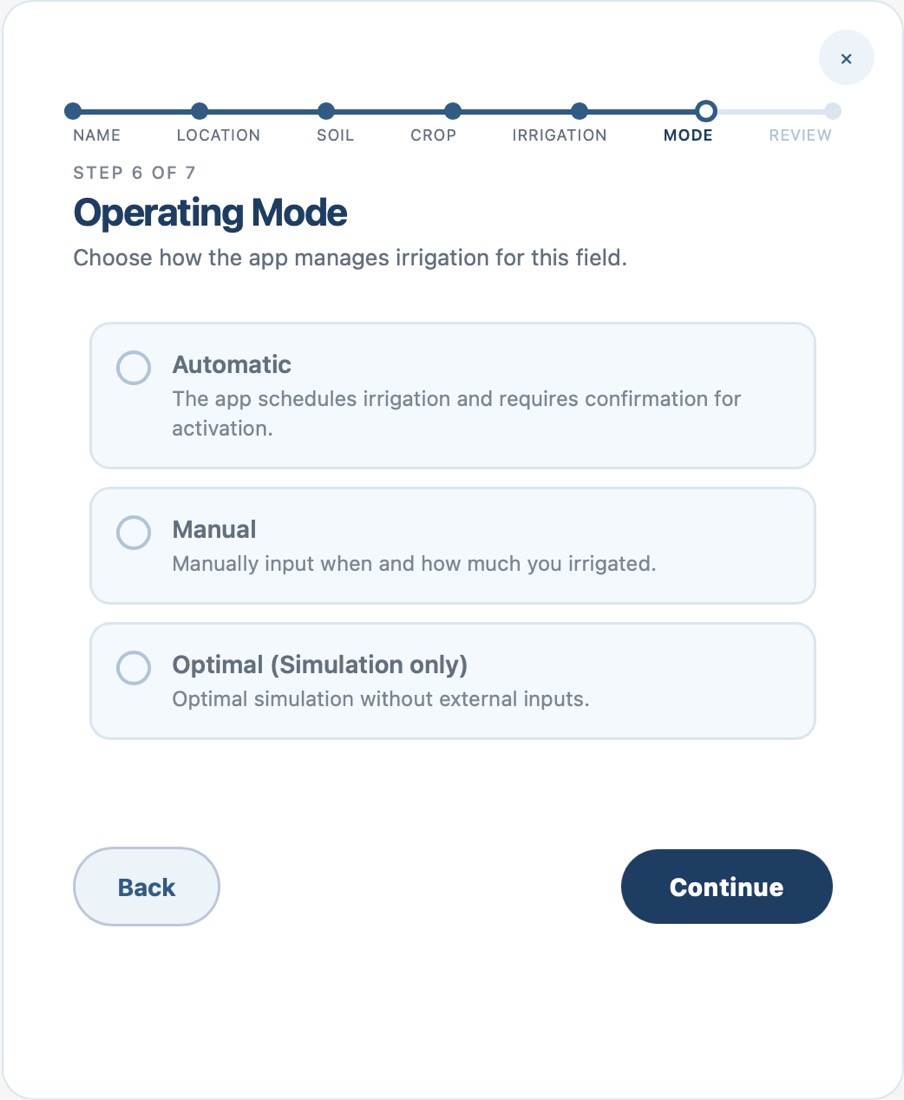
6 of 7 — Mode. Agorà schedules and asks you to confirm, you log by hand what you did, or it runs the optimal season with no input at all.
-
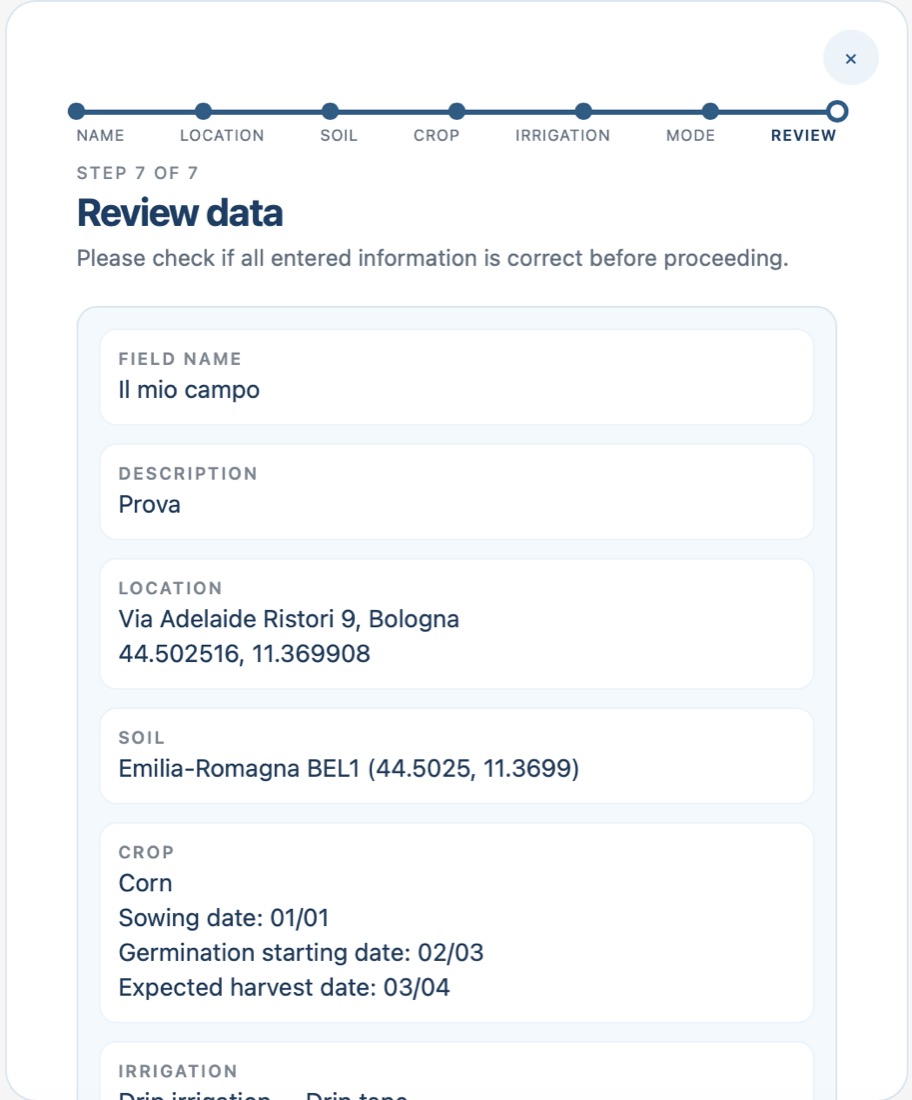
7 of 7 — Review and confirm. Every answer in one list — address, soil code, crop, sowing dates — before the field starts running.
Shared demo account — everyone who opens it sees and can change the same data. Register to have your own account activated.