
Developers
Irrigation intelligence, one call away.
Agorà’s API runs on Milky Data Way, our interoperable digital-twin platform. Send a unit, get a three-day irrigation forecast with the water balance behind it. Send feedback, and the AI tunes the model to that unit.
Quickstart
Register a unit, ask it every morning, tell it what happened.
- 01
Register the unit
Send the coordinates and the crop. Agorà picks the best weather service, soil data and crop model for that position.
- 02
Read the forecast
Get today’s, tomorrow’s and the day after’s irrigation need, with the full water balance.
- 03
Send feedback
Post the irrigation actually applied and what users observe. This is what Agorà’s AI learns from, so the model keeps adapting to each unit.
curl -X POST "$AGORA_API_URL/fields" \
  -H "Authorization: Bearer $AGORA_KEY" \
  -H "Content-Type: application/json" \
  -d '{
    "name": "Campo nord – pomodori",
    "location": { "lat": 44.5027, "long": 11.37 },
    "crop": "https://vaimee.com/criteria/crops/<crop-id>",
    "soil": {
      "name": "Loam over clay",
      "horizons": [
        { "number": 1, "upperDepth": 0, "lowerDepth": 40,
          "sand": 40, "silt": 40, "clay": 20, "organicMatter": 1.5 },
        { "number": 2, "upperDepth": 40, "lowerDepth": 100,
          "sand": 30, "silt": 40, "clay": 30 }
      ]
    },
    "operatingMode": "AutomaticMode",
    "forecastDays": 3
  }'
import os, requests

payload = {
    "name": "Campo nord – pomodori",
    "location": {"lat": 44.5027, "long": 11.37},
    "crop": "https://vaimee.com/criteria/crops/<crop-id>",
    "soil": {
        "name": "Loam over clay",
        "horizons": [
            {"number": 1, "upperDepth": 0, "lowerDepth": 40,
             "sand": 40, "silt": 40, "clay": 20, "organicMatter": 1.5},
            {"number": 2, "upperDepth": 40, "lowerDepth": 100,
             "sand": 30, "silt": 40, "clay": 30}
        ]
    },
    "operatingMode": "AutomaticMode", "forecastDays": 3
}
r = requests.post(
    f"{os.environ['AGORA_API_URL']}/fields",
    headers={"Authorization": f"Bearer {os.environ['AGORA_KEY']}"},
    json=payload,
)
print(r.json())
const payload = {
  name: "Campo nord – pomodori",
  location: { lat: 44.5027, long: 11.37 },
  crop: "https://vaimee.com/criteria/crops/<crop-id>",
  soil: {
    name: "Loam over clay",
    horizons: [
      { number: 1, upperDepth: 0, lowerDepth: 40,
        sand: 40, silt: 40, clay: 20, organicMatter: 1.5 },
      { number: 2, upperDepth: 40, lowerDepth: 100,
        sand: 30, silt: 40, clay: 30 }
    ]
  },
  operatingMode: "AutomaticMode", forecastDays: 3
};
const res = await fetch(`${process.env.AGORA_API_URL}/fields`, {
  method: "POST",
  headers: {
    Authorization: `Bearer ${process.env.AGORA_KEY}`,
    "Content-Type": "application/json"
  },
  body: JSON.stringify(payload)
});
console.log(await res.json());
Set AGORA_API_URL to your API base URL and AGORA_KEY to your access token. Replace <crop-id> with an ID from GET /crops.
In Agorà Studio
The API, operation by operation.
The OpenAPI documentation groups the available operations by resource: fields, soils and crops. Browse field registration, irrigation records, weather data and forecasts in one place.
-
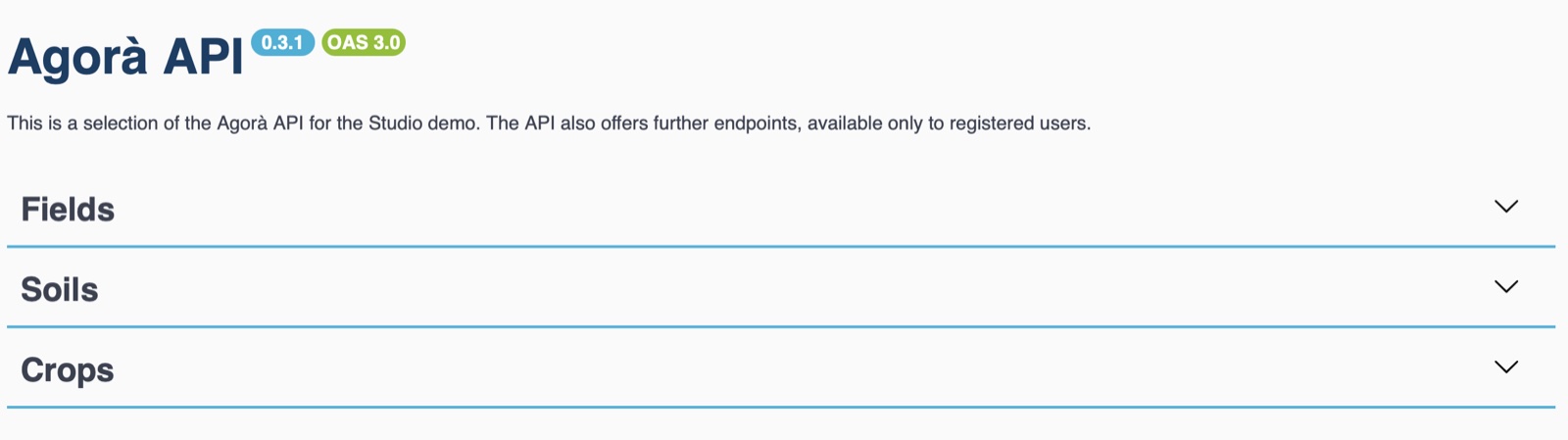
The documentation at a glance: Agorà API version 0.3.1, described with OpenAPI 3.0, with operations grouped under Fields, Soils, Crops and Extras.
-
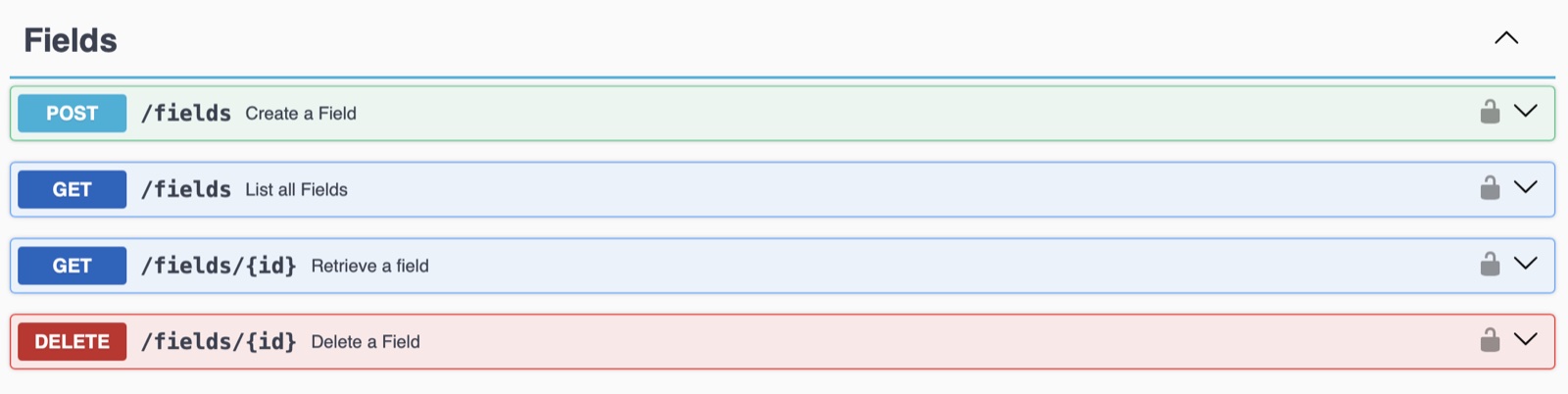
Field operations: create a field, record irrigation, retrieve its profile and irrigation records, then read output and weather histories and forecasts.
-
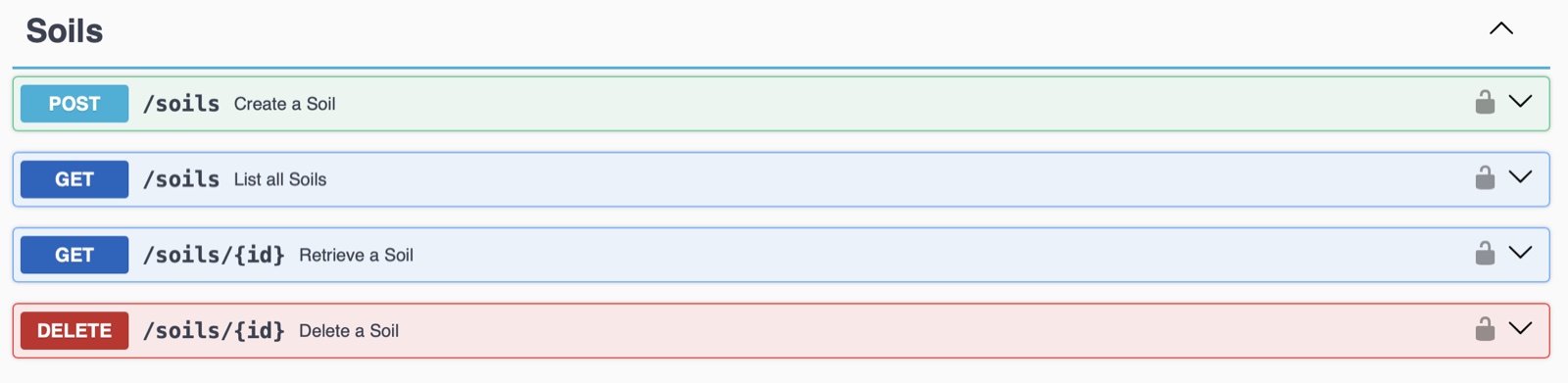
Manage a field’s season and operating mode, or delete it. The Soils group provides operations to create, list, retrieve and delete soils, plus lookup and source discovery.
-
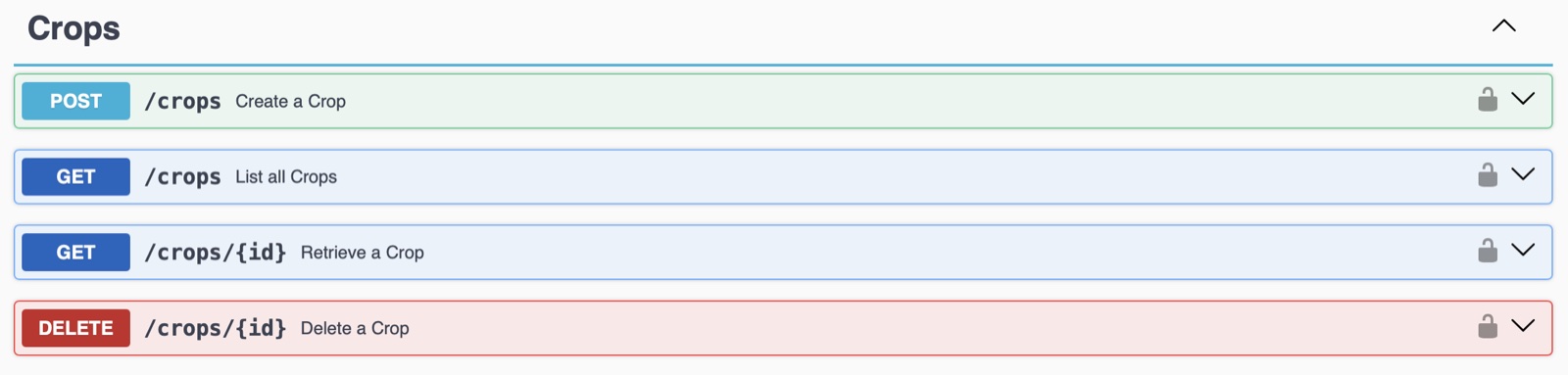
The crop catalogue: create, list, retrieve and delete crops. Use the ID returned by
GET /cropsto reference the crop when registering a field.
Shared demo account — everyone who opens it sees and can change the same data. Register to have your own account activated.